Safety checks that work with no signal
Take 5 Live puts the pre-start inspection and the Take 5 assessment on the phone already in your crew's pocket. It works underground, down a pit and two hours past the last tower, and it produces a signed PDF the moment the job is done.
Android is in testing now, installed and updated through the Play Store like any other app - ask for early access.
- The app is free for everyone, with no account and nothing switched off
- Every record saved to the device before anything is sent anywhere
- Supervisor dashboard shows what was checked, by whom, and what failed
- Australian built, and no analytics or tracking anywhere
There is no "please connect and try again"
Most inspection apps are a website in a wrapper. They need a connection to load the form, and another to save it. That is fine in an office and useless at a go-line. Take 5 Live is built the other way round.
- Complete it anywhere The whole app, every template and the signature pad live on the phone. Flight mode changes nothing.
- The PDF is made on the device Signed, timestamped and saved before any upload is attempted. If the phone never sees a tower again, the record still exists and can be shared by email or Bluetooth.
- It uploads when it can Records queue on the phone and send themselves the moment there is coverage. Nobody has to remember to sync.
- A whole shift underground is fine Nothing limits how long the phone can go without a signal, or how many records build up while it does, except the space on the phone itself. A week on a remote site is a week of inspections sitting on the device, each already signed and already a PDF. They all go up the next time it sees a tower. The dashboard lists them by when the work was done, not when they happened to arrive, so a phone that surfaces on Friday does not push Monday out of order.
What it does
One job, done properly, rather than forty done adequately.
Take 5 assessments
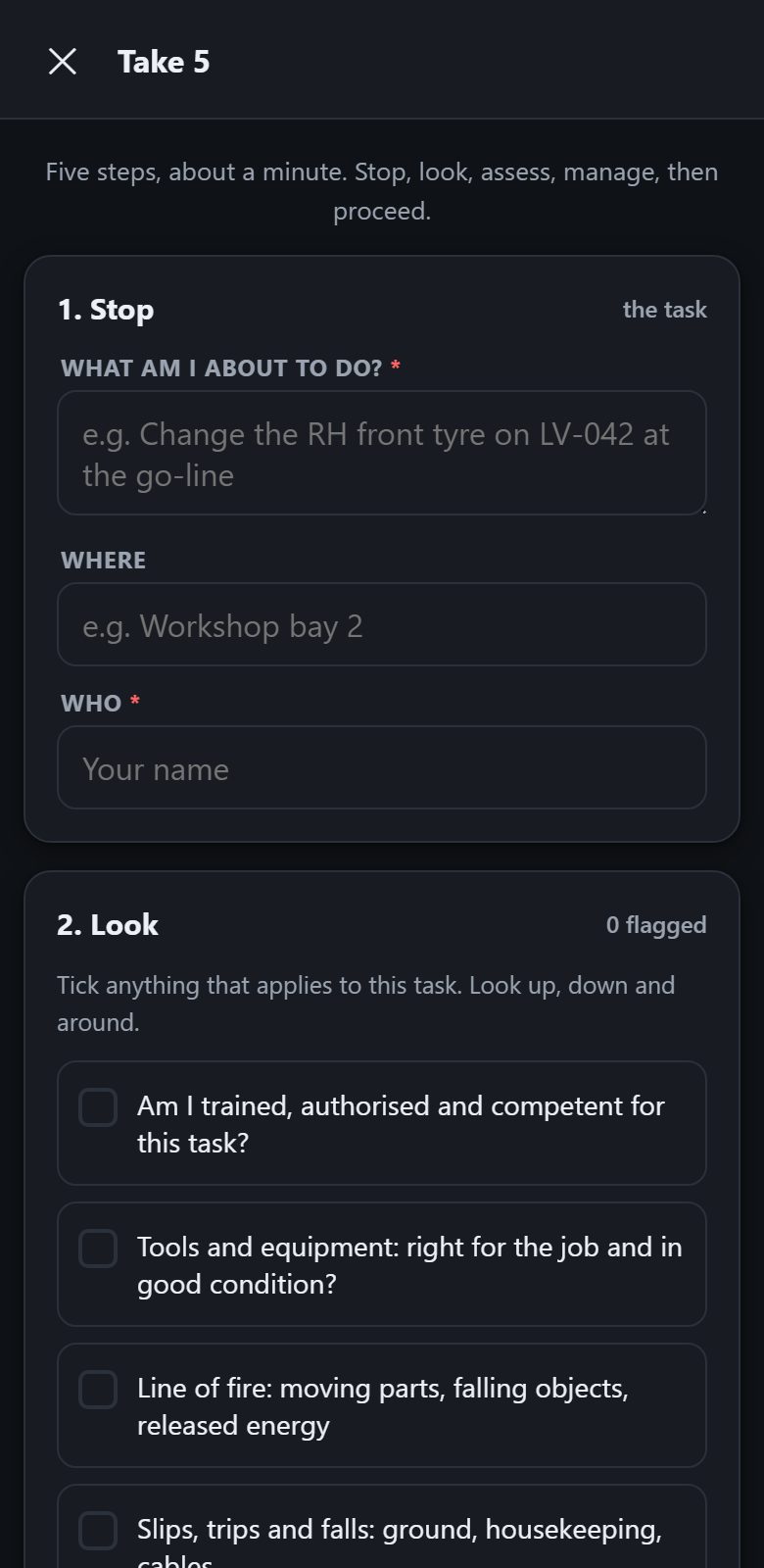
The personal check in the minute before a task starts. Stop, look, assess, manage, proceed. Hazards ticked from a prompt list, controls chosen, and a clear stop work outcome when the risk cannot be controlled.
Pre-start checklists
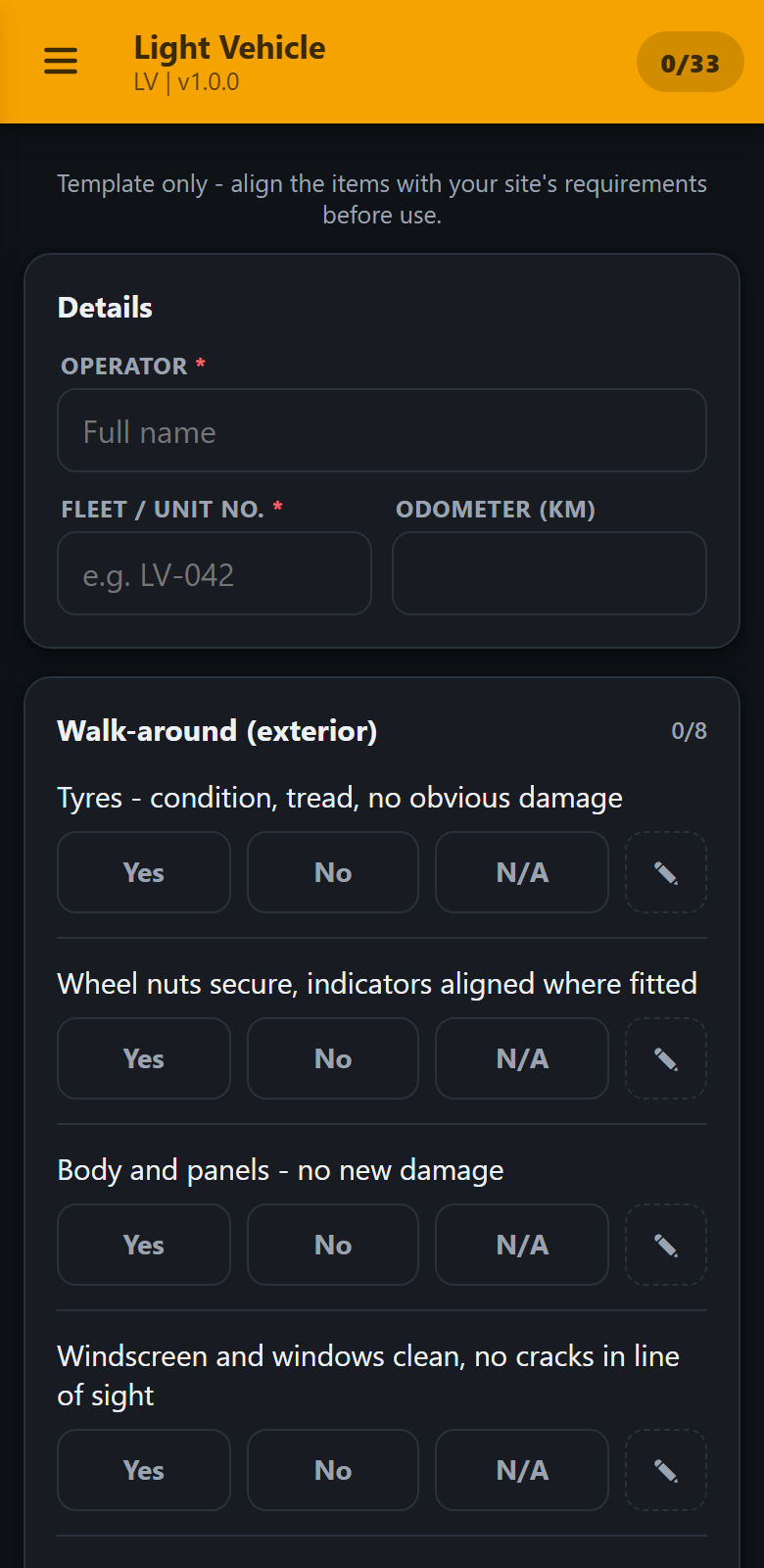
Yes, No or N/A against each item, with notes and photos on anything marked No. Critical items fail the whole inspection so a truck with no brakes cannot come back as a pass.
Your own forms
Start from a copy of a built-in template, or write your own in a spreadsheet. On a paid plan, publish it from the Team page and it reaches every phone on the team on its own. Three columns is all it takes, and no technical help is needed.
Defect photos
Attach a photograph to any failed item, straight from the camera. A picture of the crack settles the argument that a note never will.
Signed PDF records
Every inspection produces a PDF with the answers, the notes, the photos, the operator's signature and the time. Hand it to anyone.
Supervisor dashboard
Everything the crew submitted, newest first, with a one-tap filter for anything that failed. Filter by machine, export the day as a spreadsheet, archive what is dealt with.
Who it is for
Anywhere a daily check has to be recorded and coverage cannot be assumed.
The worker
Opens the app, answers the list, signs it, done. No login, no waiting for a page to load, no losing twenty minutes of work because the signal dropped at the end.
The supervisor
Stops chasing paper and stops being sent forty separate PDFs. Opens one page and sees what was checked this morning and what needs attention.
The business
Has a consistent record of who inspected what and when, kept somewhere that is not the glovebox of a light vehicle.
What it is not
Take 5 Live records inspections. It does not certify anything, it does not approve equipment, and it does not discharge anybody's duty under work health and safety law. A record marked PASS means somebody answered yes to a list of questions.
The built-in templates come from common industry practice. They are a starting point so a crew can begin on day one, not a standard, and every site should review them against its own requirements before anyone relies on them.
We would rather say that here than let you find it out later. The terms say the same thing in more detail.
Start with the free tier
One person, the whole app, no account and no expiry. Add the dashboard when somebody needs to see the records.